
Instagram vs TikTok: Which Platform Loves Image-to-Video More?
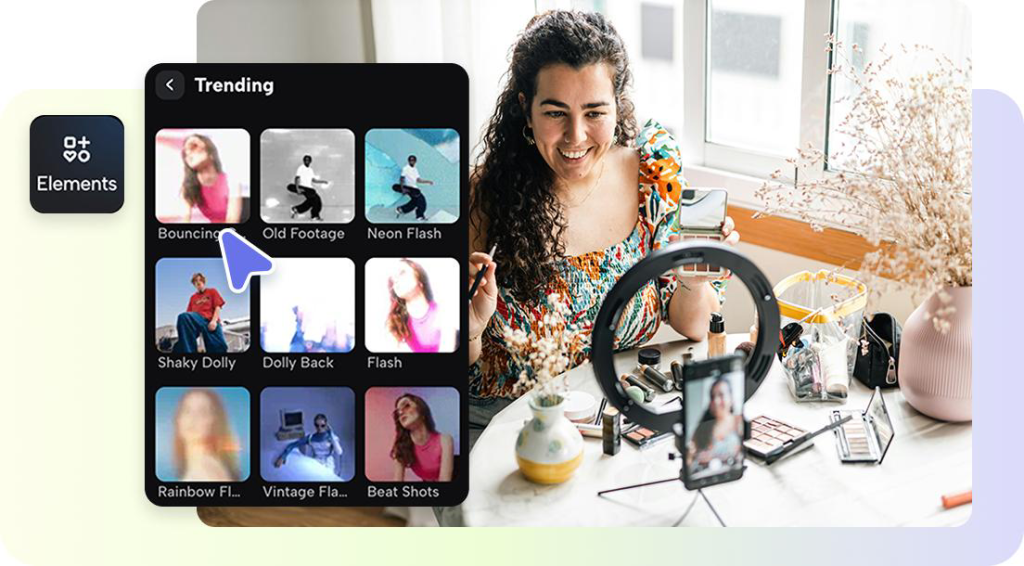
What do you do when your favorite pictures begin dancing?
That’s the latest beat of social media, a platform where static photos evolve into moving tales that engage within seconds. Two titans spearhead this visual revolution: Instagram and TikTok. Both started as art playgrounds, but their transition to short-video platforms has revolutionized how we share, sell, and connect. And now, with apps like Pippit and its AI video generator, you can easily convert still photos into moving, narrative content designed for both platforms. But though they both love visual storytelling, each app has its own personality, and having that knowledge can transform run-of-the-mill images into viral art.
Instagram’s quiet evolution: from still frames to moving stories
When Instagram users create video from static images, it’s not a matter of noise or disorder, it’s a matter of flow. Transitions are subtle, music is in tune with mood, and color palettes are thoughtful. It’s storytelling elegance. Picture a travel photographer making destination photos a fairytale reel, or a fashion brand bringing product photos to life in a runway-esque slideshow. That’s what Instagram does with motion, not as disruption, but as a fresh brushstroke in its picture-based art form.
TikTok’s playground: where spontaneity is king
Now enter TikTok, a place that’s more about pulse than polish. There, perfection doesn’t go viral; authenticity does. There, humor, energy, and creativity that look spontaneous rather than rehearsed are cause for celebration.
Image-based videos work on TikTok because they’re quick, emotive, and usually, emotional. TikTok’s power is its rhythm. Each sound, caption, or jump cut is part of an unscripted dialogue with the viewer. People don’t scroll for beauty, they scroll for connection.
When still photos begin to speak
To translate photographs into movement has unleashed something very human, our need to relive experiences. That’s what makes image to video conversion so powerful.
For artists, it’s a means of reclaiming their backlogs as real narratives. For brands, it’s an inexpensive means of staying current without booking another shoot. A bakery on the corner can transform older photos of cupcakes into a time-lapse of expansion. A designer can bring sketches to life as a behind-the-scenes narrative. These short videos don’t just attract attention; they convey continuity, showing where you’ve been, where you’re going, and why it matters.
Why brands should ride the photo-to-video wave
Brands already sit on gold, product photos, event shots, campaign archives, all waiting for movement. Converting them into short videos assists in reviving old assets into narratives that suit today’s modes. A furniture company can convert catalog photographs into home renovation clips. A skin brand can utilize before-and-after pictures to make transformations come alive. Even creatives can mix portfolio photographs into reels which resemble living shows.
From memories to motion: creating scroll-stopping stories with Pippit
Let’s take a look at how you can make your own moving images in minutes.
Step 1: Upload your images
To get started using Pippit first either login or create your new account. Once you’re in the Pippit application, find the media upload area in the “Video generator” section. Click the “Add media” button so that you can upload photos either from your device or a cloud storage option. Alternatively, you can copy and paste a product URL into the provided field. Click “Generate” and then let the AI automatically recognize the images.
Step 2: Customize and generate
Once you upload your media or URLs, Pippit generates a preview of your video that includes automatically selected clips and important product information. You can edit features such as visuals, highlights, and descriptions throughout the video. Second, you will choose the type of video you would like, and fill in important settings like selecting an AI avatar and voice, language, aspect ratio, and video duration. Finally, click the “Generate” button to create your customized video.
Step 3: Export the video
Once your video is generated, you will preview for quality. Pippit will allow for a “Quick Edit” in the video pane (under the video) where you can quickly edit the script, captions, avatar, and voice. Additionally, you can also create several videos to vary the styles to see what works best for your intended video. If you would like to edit some more, click “Edit more” for professional fine-tuning.
When actually satisfied, you can click completely export your final high-resolution photo videos for use across your platform or marketing.
The power of personality: bringing human touch
Even the most beautiful visuals, though, require a voice, a literal one. That is where the AI avatar revolution comes in. With digital avatars, creators can personalize their visuals without appearing in front of the lens. Consider them as virtual hosts who share your brand’s story, describe your product, or just inject personality into your slideshow. They fill the space between creator and viewer, making what might otherwise be a silent montage an interactive dialogue. For brands targeting multiple languages or markets, avatars also make localization effortless, one face, endless voices.
Who really loves image-to-video more?
The actual question isn’t who wins, it’s who defines motion more effectively.
Instagram plays image-based video like an art form, beautiful, gentle, and deliberate. It’s where brand narrative, lifestyle reels, and visual transitions live. TikTok, on the other hand, makes that same concept come alive as a living conversation, fast, emotive, and intensely personal. Every platform executes the image-to-video idea in a different way, and that’s where magic happens. Instagram adds elegance to your visuals; TikTok adds edge. The intelligent creator doesn’t choose sides, they adopt both energies, merging narrative with improv.
Final frame: bring your photos to life with Pippit
With Pippit, it’s easy for anyone to make their images come to life in motion. Upload, design, and export, and make each frame say something. Because in today’s age of visual storytelling, the image you snapped yesterday might be tomorrow’s most-viewed video. Sign up for Pippit today and bring your photos to life in motion that counts.